
Limited to the first 500 redemptions
Unlock QR File Transfer Lifetime for FREE
Copy the code and redeem it in the app to unlock lifetime access instantly.
Offer code
QRFILETRANSFERFREE
Tap the button to copy
Code copied. Open the app and tap Redeem Code.
How to redeem your free lifetime code
- Open the App Store on your iPhone.
- Search for QR File Transfer.
- Download the correct app.
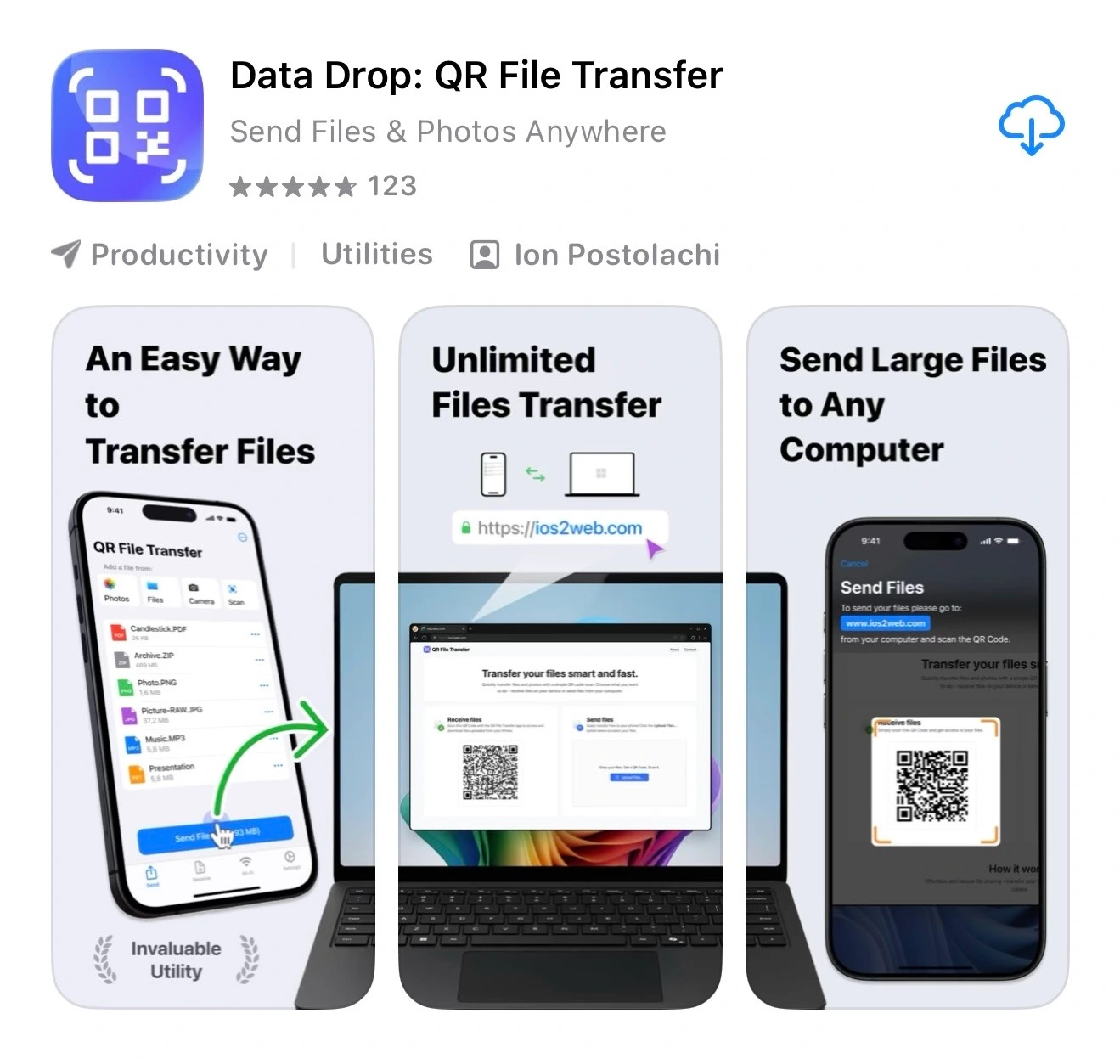
Make sure the app name is QR File Transfer and
matches the screenshot shown on this page.
- Open the app after installation.
- When you see the paywall screen, tap Redeem Code.
- Paste the code QRFILETRANSFERFREE and confirm.
Troubleshooting
- Make sure you typed the code exactly as shown: QRFILETRANSFERFREE
- The code is limited to 500 redemptions. If the limit is reached, it will no longer work.
- Open the app and go to the paywall screen.
- The Redeem Code option is available only on the paywall.
- Close the app completely and open it again.
- Make sure you are logged into the same Apple ID you used to redeem the code.
- Delete the app you installed.
- Go back to the App Store and search for QR File Transfer again.
- Compare the app icon and name with the screenshot on this page before downloading.
- Check your internet connection.
- Try again after a few minutes.
- App Store redemption errors are controlled by Apple and may be temporary.
That’s it. Your lifetime access will be unlocked immediately. Need
help? Contact us at
[email protected]
and include a short description of the problem and, if possible,
a screenshot.